
In the adrenaline-fueled realm of competitive gaming, precision and responsiveness are the keystones to victory, and no game exemplifies this better than Valorant. As a dedicated gamer, your monitor is not just a display device; it’s your portal to the virtual battleground where split-second decisions can mean the difference between triumph and defeat. In the pursuit of unlocking your full gaming potential, selecting the right monitor becomes paramount. This guide aims to unveil the best monitors tailored specifically for Valorant enthusiasts, offering a comprehensive overview of features that will elevate your gaming experience to new heights. From lightning-fast refresh rates to pixel-perfect clarity, embark on a journey to discover the monitors that will immerse you in the heart of Valorant’s intense tactical gameplay.

What Is Monitor for Valorant?
A monitor for Valorant is a specialized display designed to enhance the gaming experience of Valorant enthusiasts. These monitors typically feature high refresh rates, low input lag, and rapid response times to ensure that every in-game movement is smooth and instantaneous. Additionally, a good Valorant monitor often boasts high resolution and color accuracy, providing players with the clarity needed to spot opponents and execute precise maneuvers in the fast-paced and competitive environment of Valorant.
Factors to Consider When Choosing the Best Monitor for Valorant
Here are key factors to consider when choosing the best gaming monitors for Valorant:
Refresh Rate
Valorant’s fast-paced gameplay benefits greatly from a high refresh rate. Aim for a monitor with a refresh rate of 144Hz or higher to ensure smoother motion and improved responsiveness, giving you a competitive edge in quick and precise movements.
Response Time
A low response time is crucial for reducing motion blur, especially during intense moments. Look for a monitor with a response time of 5ms or lower to maintain clarity in fast-paced scenes and maintain visual accuracy during rapid in-game actions.
Resolution
While 1080p (Full HD) is standard and provides a good balance between performance and visuals, consider higher resolutions like 1440p (Quad HD) for crisper images. A higher resolution can enhance the clarity of details, making it easier to spot opponents from a distance.
Panel Type
Choose a panel type based on your preferences and priorities. TN panels typically offer faster response times, which can be beneficial for competitive gaming. However, IPS panels provide better color reproduction and wider viewing angles, contributing to an overall more immersive visual experience.
Input Lag
Low input lag is essential for a responsive gaming experience. A monitor with minimal input lag ensures that your actions are translated to on-screen movements without noticeable delay, crucial for precise aiming and quick reactions.
Best Monitors for Valorant
Here are the top monitors for Valorant:
1. BenQ ZOWIE XL2546K
The BenQ ZOWIE XL2546K is a top choice for gamers seeking a monitor that delivers lightning-fast response times and stunning visuals. With its low response time, this monitor ensures smooth gameplay, allowing Valorant players to react swiftly to in-game situations. This makes it an ideal choice for esports enthusiasts who require precise and accurate gameplay. The BenQ ZOWIE XL2546K is specifically designed to meet the demands of competitive gaming, offering features such as Black eQualizer technology that enhances visibility in dark scenes, providing players with an advantage on the battlefield. Zowie monitors boast a high refresh rate and a Full HD resolution, resulting in sharp and detailed graphics that bring the game to life.
BenQ ZOWIE XL2546K Features
- 24.5-inch display
- 240Hz refresh rate
- 1080p Full HD resolution
- DyAc+ technology
- Black eQualizer
- S-Switch for easy menu navigation
- Adjustable stand with pivot, swivel, and height adjustments
- Customizable color vibrance settings
- K Locker for quick and secure cable management
- Shield for the focused gaming environment
BenQ ZOWIE XL2546K Pros
- Great picture quality
- Fast TN panel.
- User friendly monitor settings
- DyAc+ technology for reduced motion blur
- Customizable S-Switch for easy menu navigation
- Black eQualizer enhances visibility in dark scenes
- Adjustable stand for ergonomic positioning
- Designed with input from professional esports players
BenQ ZOWIE XL2546K Cons
- Limited resolution at 1080p
- No HDR support
- Relatively high price point
- TN panel with narrower viewing angles and color accuracy compared to IPS panels
- Lack of built-in speakers
BenQ ZOWIE XL2546K costs $399.00
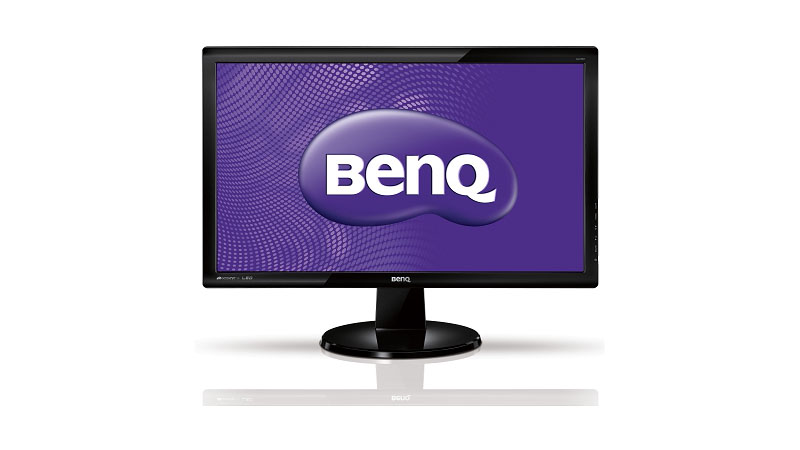
2. Alienware AW2521H
As one of the best monitors for gaming, the Alienware AW2521H is highly regarded by Valorant pros for its exceptional performance. Equipped with an IPS panel, this monitor offers vibrant colors and wide viewing angles, ensuring that you don’t miss a single detail on your journey to victory.
Its impressive 360Hz refresh rate and 1ms response time guarantee a smooth and fluid gaming experience, allowing you to make split-second decisions with precision and accuracy. Whether you’re navigating through intense firefights or strategizing your next move, the Alienware AW2521H delivers unmatched visual clarity that enhances your gameplay to new heights. So why settle for anything less when you can have the ultimate advantage with this top-tier gaming monitor?
Alienware AW2521H Features
- 24.5-inch IPS display
- 1920 x 1080 resolution
- 360Hz refresh rate
- NVIDIA G-Sync technology
- 1ms response time
- AlienFX customizable RGB lighting
- DisplayPort and HDMI connectivity
- Height-adjustable stand
- VESA mount compatible
- 99% sRGB color gamut
Alienware AW2521H Pros
- High 360Hz refresh rate
- Quick 1ms response time
- NVIDIA G-Sync support
- IPS display for better color reproduction
- AlienFX customizable RGB lighting
- Adjustable stand for ergonomic flexibility
- VESA mount compatibility
- Wide 99% sRGB color gamut
Alienware AW2521H Cons
- Limited resolution at 1920 x 1080
- Potentially high price point
- May not suit users seeking higher resolutions
- HDMI 2.0 limitations compared to newer standards
- Some users may prefer a larger screen size
Alienware AW2521H costs $432.49.
3. ASUS ROG Swift PG279QM
The ASUS ROG Swift PG279QM is the perfect monitor for gamers who want to take their gameplay to the next level. With its higher resolutions and high framerates, this monitor ensures that every detail is crystal clear and every movement is smooth. Whether you’re playing Valorant or any other game, the ASUS ROG Swift PG279QM will provide an immersive experience like no other. So don’t settle for anything less than the best when it comes to your gaming setup – choose the ASUS ROG Swift PG279QM and get ready to dominate the competition.
ASUS ROG Swift PG279QM Features
- 27-inch display size
- Quad HD (2560 x 1440) resolution
- Fast 240Hz refresh rate
- NVIDIA G-Sync technology
- IPS (In-Plane Switching) panel
- 1ms response time
- ASUS Extreme Low Motion Blur Sync
- ASUS Aura Sync RGB lighting
- Ergonomic design with adjustable stand
- DisplayPort 1.4 and HDMI 2.0 ports
ASUS ROG Swift PG279QM Pros
- High 240Hz refresh rate
- Excellent 1ms response time
- NVIDIA G-Sync technology
- Vibrant IPS panel with good color accuracy
- Adjustable stand for ergonomic positioning
ASUS ROG Swift PG279QM Cons
- Expensive compared to some alternatives
- May suffer from backlight bleeding issues for users
- HDR performance might not meet expectations
ASUS ROG Swift PG279QM costs $649.00.

3. Acer Nitro XV252QFbmiiprx
As one of the top monitors recommended in this gamer’s guide, the Acer Nitro XV252QFbmiiprx delivers exceptional visual performance. It allows you to see even the smallest details with clarity. Whether scanning for enemies or admiring the stunning graphics of Valorant, this monitor won’t disappoint. Its motion clarity is also outstanding, providing smooth and fluid gameplay that enhances your overall gaming experience.
Acer Nitro XV252QFbmiiprx Features
- 24.5-inch IPS display
- Full HD resolution (1920 x 1080)
- 360Hz refresh rate
- 1ms response time
- NVIDIA G-Sync technology
- AMD FreeSync Premium
- HDR10 support
- 99% sRGB color gamut
- DisplayPort 1.4 and HDMI 2.0 ports
- Adjustable stand with pivot, swivel, and tilt options
Acer Nitro XV252QFbmiiprx Pros
- High 360Hz refresh rate for smooth gaming.
- Quick 1ms response time reduces motion blur.
- NVIDIA G-Sync and AMD FreeSync support for variable refresh rates.
- HDR10 support enhances visual quality.
- Wide 99% sRGB color gamut for vibrant colors.
- Adjustable stand for ergonomic customization.
- Multiple connectivity options with DisplayPort and HDMI ports.
Acer Nitro XV252QFbmiiprx Cons
- Limited to Full HD resolution.
- HDR performance may not match premium HDR monitors.
- May be relatively expensive compared to standard monitors.
- Large bezels may be a concern for some users.
- Specific to gaming needs; may not be ideal for professional content creation.
Acer Nitro XV252QFbmiiprx costs US$499.99.
4. MSI MAG251RX
The MSI MAG251RX features a VA panel, which means you can expect deep blacks and vibrant colors that will make every detail pop on your screen. Unlike TN panels, which are known for their fast response times but lackluster color reproduction, IPS panels provide a perfect balance between speed and image quality. This monitor also comes with low blue light technology, so you can game for hours without straining your eyes.
MSI MAG251RX Features
- 24.5-inch Full HD IPS display
- 240Hz refresh rate
- 1ms response time
- NVIDIA G-Sync compatible
- AMD FreeSync Premium
- HDR 400 support
- Night Vision feature
- Frameless design
- Adjustable stand
- Mystic Light RGB lighting
- Gaming OSD app
MSI MAG251RX Pros
- High 240Hz refresh rate for smooth gaming.
- Quick 1ms response time reduces motion blur.
- NVIDIA G-Sync and AMD FreeSync Premium support for adaptive sync.
- HDR 400 support enhances visual quality.
- Night Vision feature improves visibility in dark scenes.
MSI MAG251RX Cons
- Full HD resolution may not be sufficient for some users.
- HDR 400 may not deliver the highest HDR experience.
- Limited viewing angles inherent to some IPS panels.
- RGB lighting may not be appreciated by users seeking a minimalist design.
- May be on the higher end in terms of price for some users.
MSI MAG251RX costs $389.00.
Frequently Asked Questions
Can I Use Any Monitor for Playing Valorant, or Are There Specific Requirements?
You can use any monitor to play Valorant, but for an optimal experience, it’s recommended to have a monitor with a high refresh rate (e.g., 144Hz or higher) and low input lag to enhance responsiveness and smooth gameplay.
How Important Is the Refresh Rate of a Monitor for Playing Valorant?
The refresh rate of a monitor is crucial for playing Valorant. A higher refresh rate, like 144Hz, allows for smoother gameplay and better responsiveness, giving you an advantage in fast-paced shooter games like Valorant.
Can I Use a Curved Monitor for Playing Valorant, or Is a Flat-Screen Better?
You can use a curved monitor for playing Valorant, as it provides a more immersive gaming experience. However, some players prefer flat screens to accurately represent the game’s geometry.
Conclusion
The best monitor for Valorant will depend on your personal preferences and budget. Whether you prioritize speed or color accuracy, there’s a monitor out there that’ll suit your needs. So take your time researching and comparing different options to find the perfect monitor that’ll elevate your Valorant gameplay to the next level!
